Note: Cuppycakes that came to this entry because it's really urgent to know how, kindly Ctrl+F "Begin:" to get to the point.
Also, please note that this is a tutorial/article/post/whatever-it-is is written by a Dummy (aka moi), not
for Dummy ha.
* * * * * * * * * * * * * * * * * * * *
Psst psst. Eh I tell you a secret ah.

Shhh! Don't tell anyone OK! Erhm ok fine you may tell your friend but make sure your friend also keep quiet OK! And your friend's friend too!
Ahem *clear throat* Ok lah I'm telling you now. I am the biggest idiot in the world because I query the data straight from database and copy rowS by rowS to Excel file
(must stress the 'S' which stands for plural coz it sounds less idiotic wtf). Well, to my defense, the data was so big I had to copy part by part coz otherwise it will have OutOfMemory error wtf and when the same error occurs few more times, the whole damn SQL Server Management Studio will crash and ask for restart and then I'll have to re-query the whole damn thing again.
I'll pause for 1 sec for you to laugh.
.
You done yet? Nehmind. Not that I care.

I tell you. When Serena knew this, she's almost like this -->
 (OS: WHY YOU SO IDIOT GEH!!! THROW MY FACE NIA!!!)
DEAR SIFU, MOI IZ SORRY!

Like I said, it was a major major major facepalm (IKR) especially when the data I extract from my workplace is so so so so so huge I do until I wanna die wtf. I still cannot figure why I didn't think of any of the solutions wtf. Nah I punish myself like Dobby the Elf

* * * * * * * * * * * * * * * * * * * *
Begin:
Side note: I'm gonna reuse the dummy data created previously at
here.
Of course to extract your data, you have to have your query prepared lah. If the query is complicated, as in having a lot of join tables, try fine tune it using CTE. If the data is mad huge, try export it 100k by 100k or 10k by 10k, depending on your data size. The one I have in my workplace is a combination of both so I had to use both methods ie using CTE and exporting it out 100k by 100k wtf but I promise this tutorial is gonna be very simple.
 |
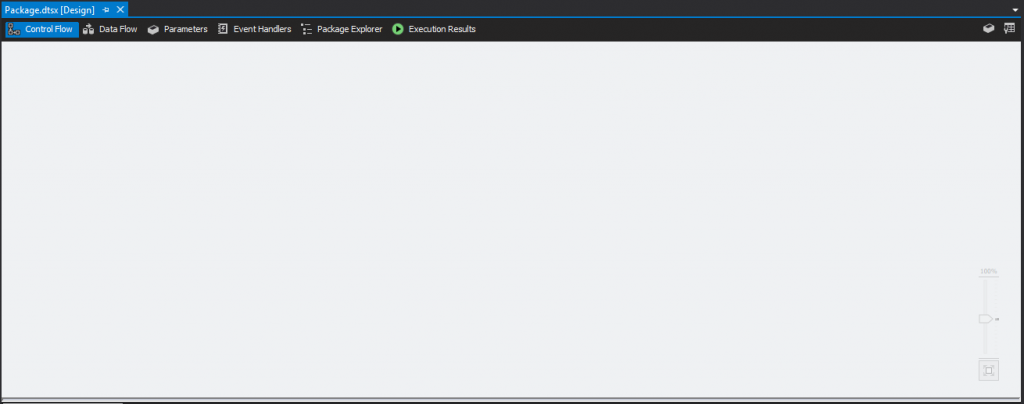
| Step 1: Create a new SSIS project. Duh. Then double-click 'Package.dtsx' (default package name. You may rename it) |
 |
Step 2: A blank 'canvas' will show as above image.
Click to enlarge |
 |
| Step 3: To start off with something, click and drag the 'Data Flow Task' from SSIS Toolbox. |
 |
| Step 4: Drag the 'Data Flow Task' to the blank canvas as shown in above screenshot. |
 |
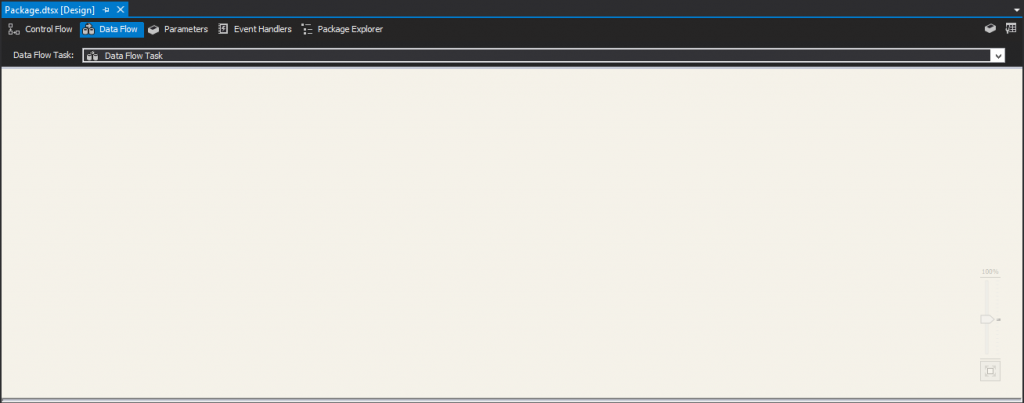
Step 5: You may double-click the 'Data Flow Task' from previous step to come to this screen or straightaway click on the 'Data Flow' tab at the top.
Click to enlarge |
 |
| Step 6: Click and drag the ADO NET Source (I'm using MSSQL Server) from SSIS Toolbox to the empty canvas under the tab of 'Data Flow'. |
 |
| Step 6: Click and drag the Excel Destination (I'm gonna export the data to Excel file) from SSIS Toolbox to the empty canvas under the tab of 'Data Flow'. |
 |
Step 7: After the click and drag, you will see something similar to the shown image. Pull the blue arrow from the ADO NET Source and attach the end of it to the Excel Destination. The red arrow indicates the handling of error. You may try creating a text file (Flat File Destination) for the error log.
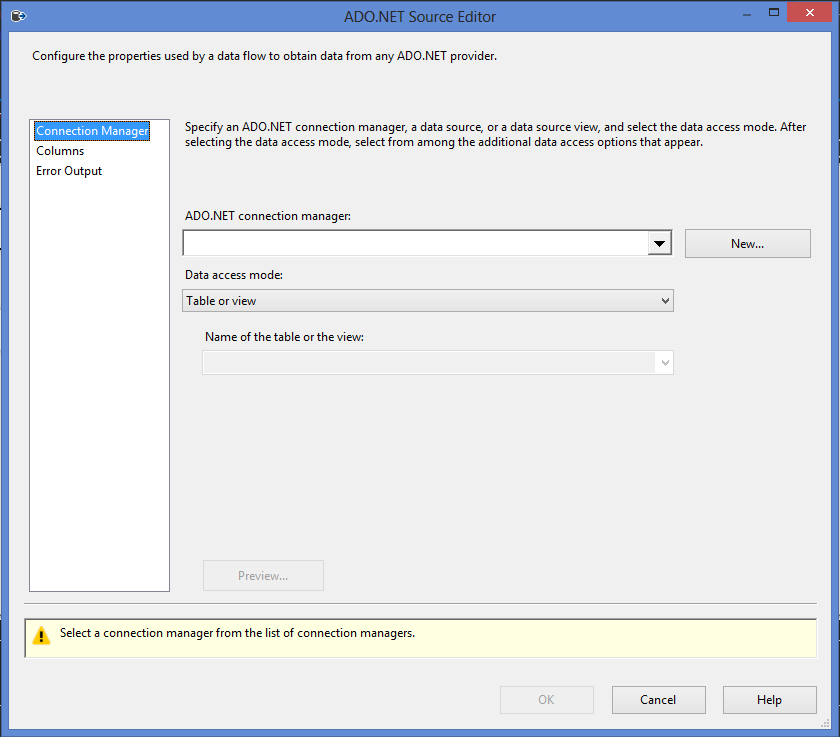
Double click on the ADO NET Source bubble. |
 |
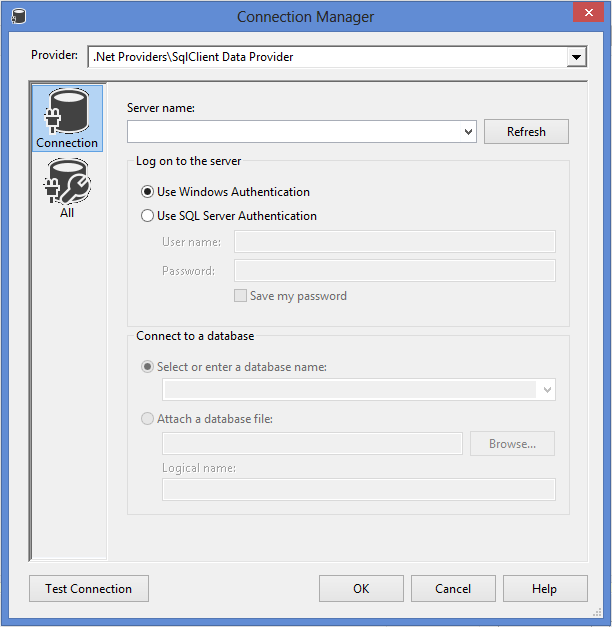
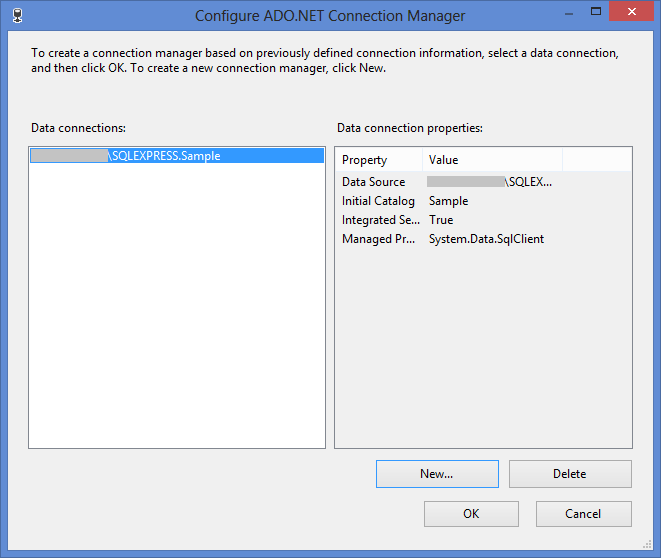
Step 8: You'll be asked to create a connection to related db. Click on 'New...' to create a new connection.
Click to enlarge |
 |
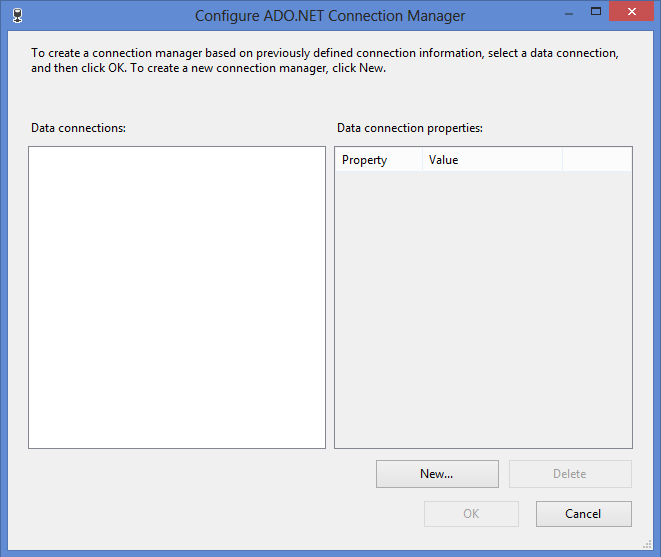
Step 9: Connection configuration windows will pop up. Click 'New...' for new connection.
Click to enlarge |
 |
Step 10: Fill in all necessary details, then click on 'Test Connection' to ensure the connection is working.
Click to enlarge |
 |
Thumbs up if you see this. =) Otherwise... Keep trying until you see this wtf.
Click to enlarge |
 |
This is what you should be seeing next. Click 'OK'.
Click to enlarge |
 |
| Step 11: After configuring the connection, you may choose the way you get your db query. It can either be Table or view, or SQL Command. |
 |
| Step 12a: If you need to get data from 1 table/view, you can simply choose 'Table or view' and select the table/view you wanna get the data from. |
 |
| Step 12b: Otherwise this is where you can put your complicated query. |
You can either choose from step 12a or 12b but not both.
 |
| This is how it looks like when you've done configuring the db connection =) |
 |
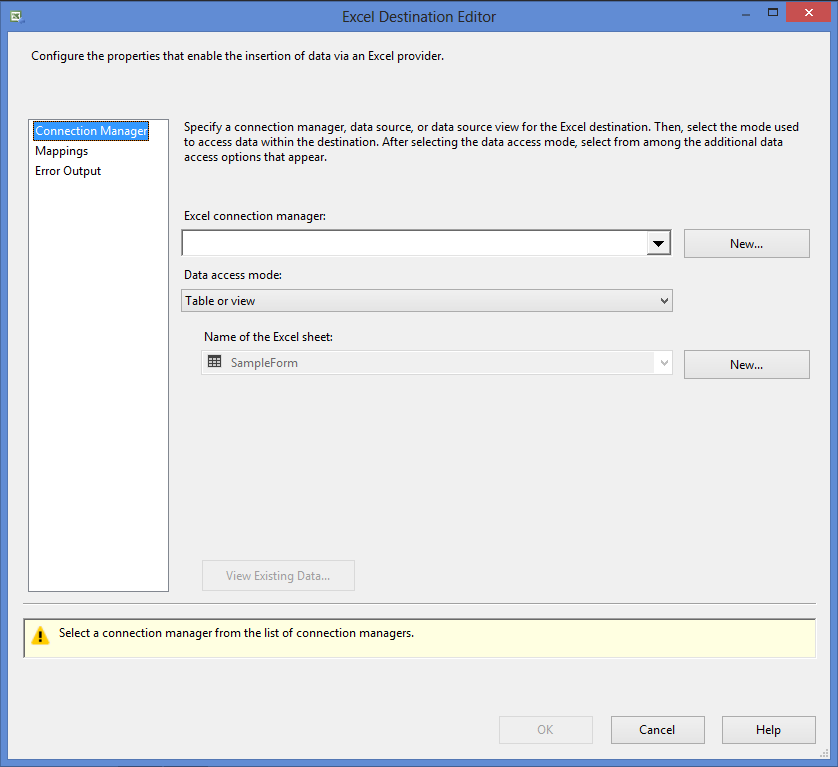
Step 13: Now double click on the Excel Destination bubble and this windows will pop up. Click 'New...' for the Excel connection manager.
Click to enlarge |
 |
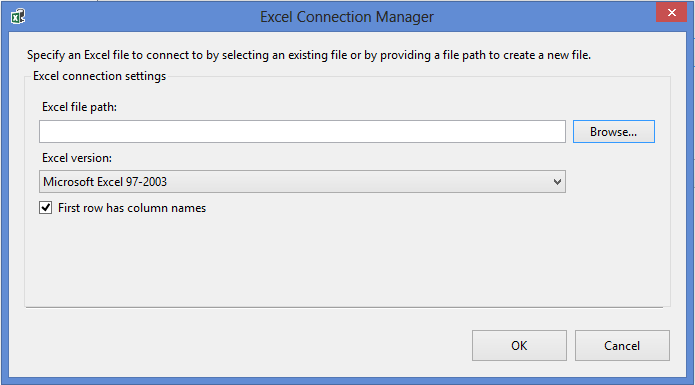
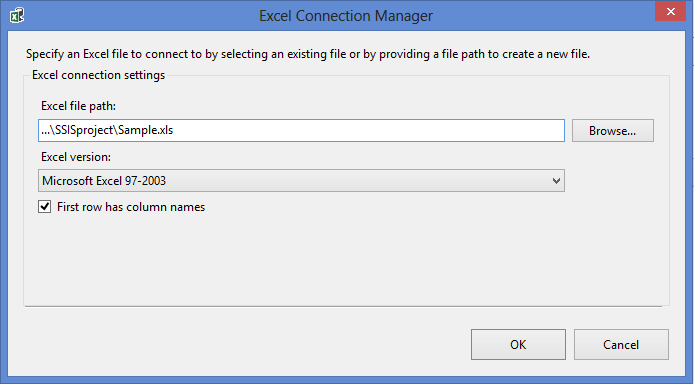
Step 14: This windows will pop up and get the destination file path. Click 'Browse...' if you haven't decide where to put it. It has to be existing Excel file but doesn't matter if it's empty or not.
Click to enlarge |
 |
Click 'OK' when you're done.
Click to enlarge |
 |
| Step 15: Remain selecting 'Table or view' and click 'New...' for new Excel sheet name. |

 |
| Step 16: New windows will pop up and requires you to create a new table. Rename 'Excel Destination' and remove the '`' symbol as per following screenshot. I renamed mine as 'SampleFile'. It will be the Excel sheet's name. |
 |
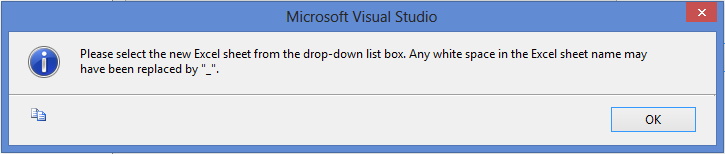
Step 17: This windows will pop up but no worries, keep calm, just click 'OK', and proceed =)
Click to enlarge |
 |
| Step 18: You'll be selecting your Excel sheet. Choose the one you've just created. |
 |
| When you're done with the Excel Destination configuration, this is what you'll see at the bottom. |
 |
| Step 19: Start debugging! |
 |
Step 20: Let it run for awhile and check at the status when it's done. (Refer pointing arrow)
Click to enlarge |
 |
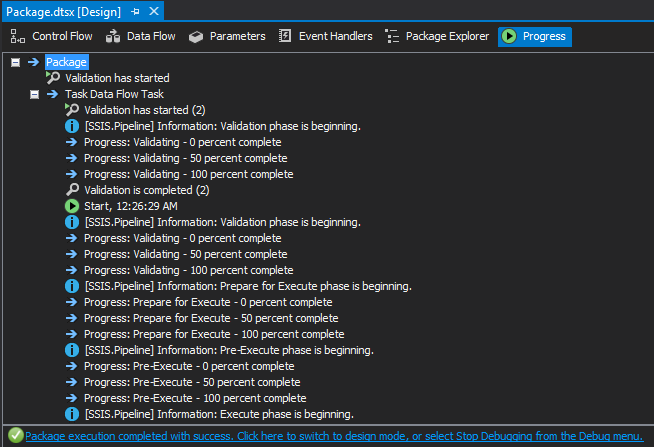
Step 21: You may click on the status bar from the previous step, or straightaway go to the 'Progress' tab as shown in the image. (Refer pointing arrow)
Click to enlarge |
 |
This is what SSIS have done. If there's error, it will be shown here too.
Click to enlarge |
VOILA! Your data is extracted! ^^ You can check your destination file path and open the Excel file to check what's inside ^^
Here's a screenshot of what I've mentioned in step 16:
 |
| Sheets name |
Tadaa! You can now export a lot of data into 1 single files (only with shit loads of sheets lolol) ^^
Oh oh btw hor! I found another way of extracting data from the db using SSIS! See
here! (Told you this is an entry written by Dummy lor wtf)
Happy experiencing around! =)