
Pre-check: Make sure you receive a reply email similar to the image below.
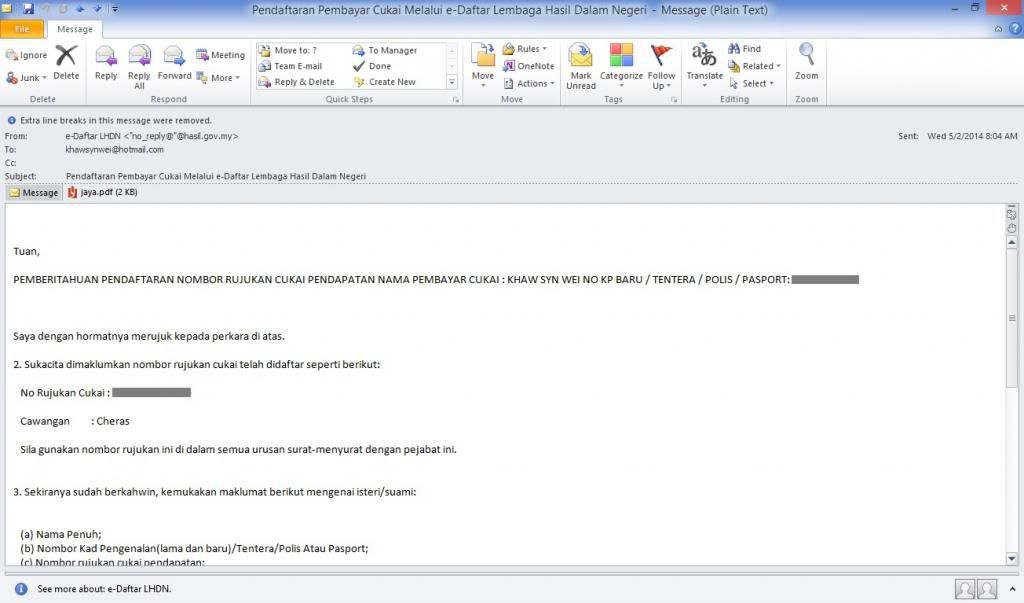 |
| e-Daftar Reply Email Number scratched for data protection |
Step 1: Now go back to the LHDN index page and click on "e-Filing" button as shown in below image (or here).
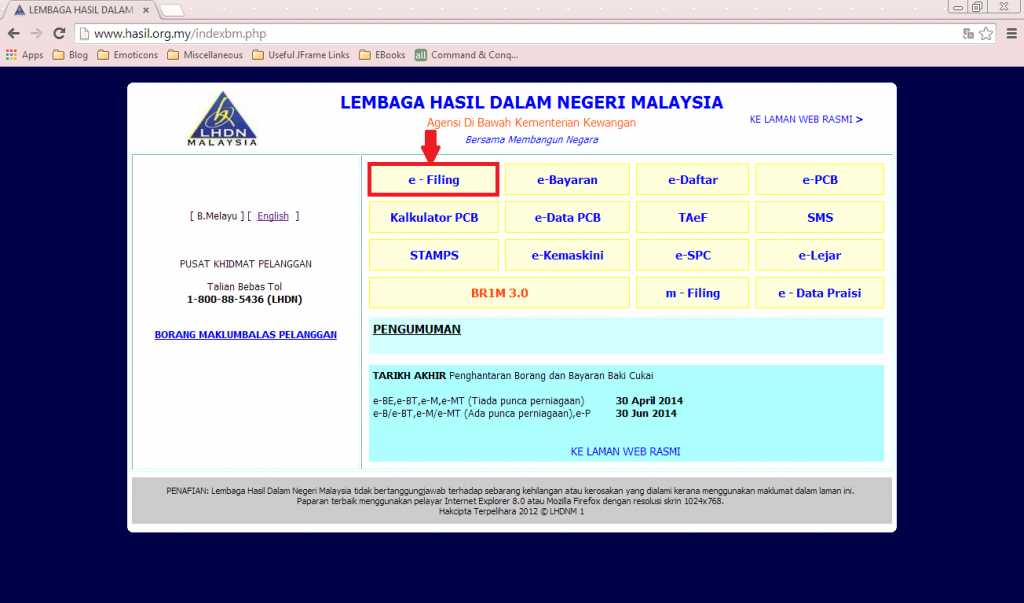 |
| Index Page |
Step 2: Click on the tab "+Permohonan No. Pin" located at the left sidebar as shown in below image.
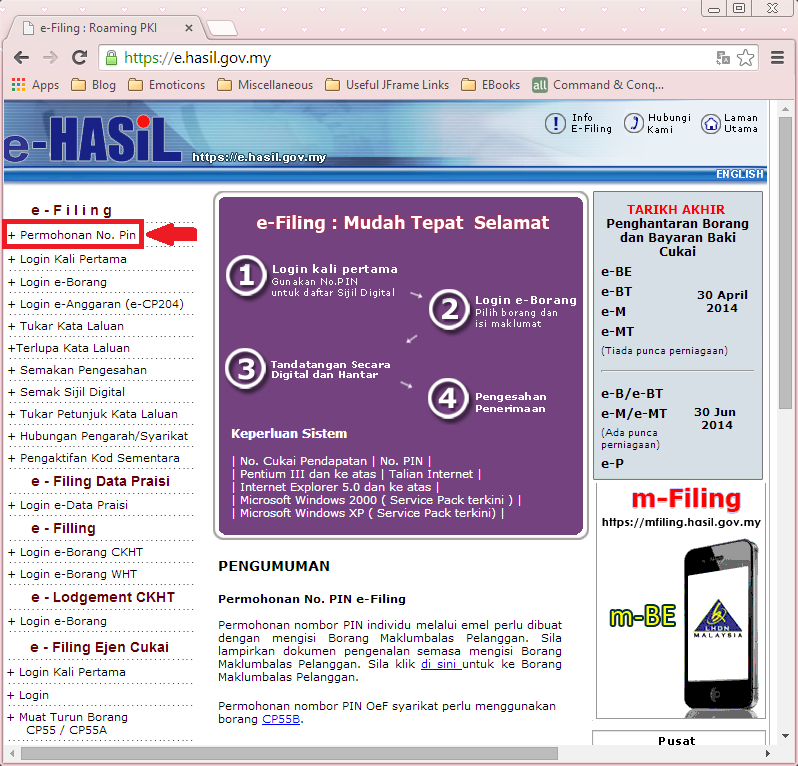 |
| e-Filing Page |
Step 3: Fill in the details you have after you're redirected to the following page. Click "Hantar" when you're done.
The number I received is in the format "SG0" followed by 11 digits (eg, SG012345678912). However, you can only fill in 11 digits in the textbox. Remove the "0" after "SG" (eg, SG12345678912).
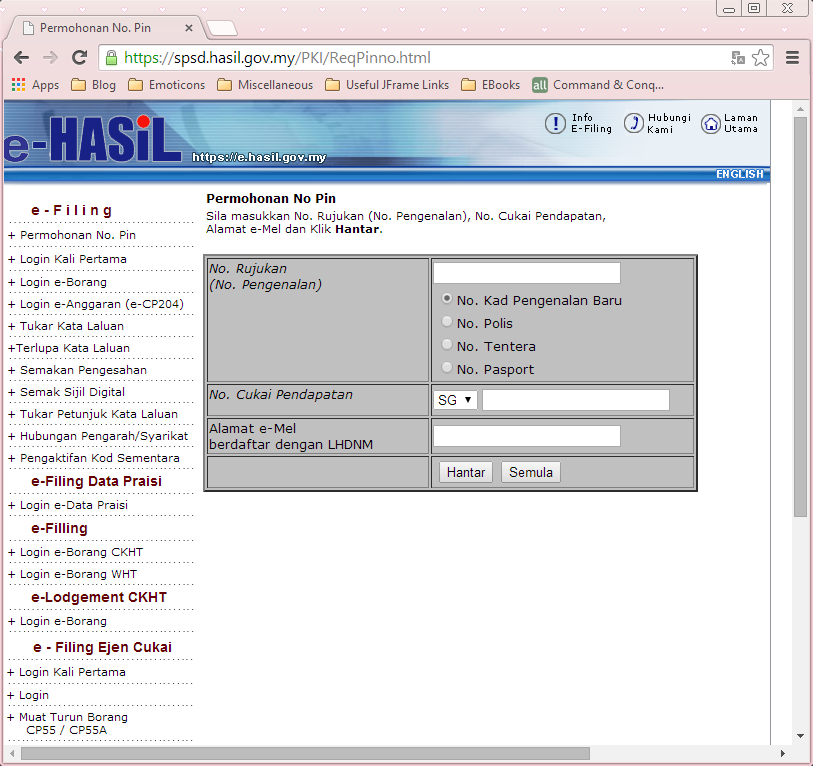 |
| PIN Application Page |
Voila! Now you just have to wait for the next email for the PIN you've just registered!
When you're done with it, you may wanna check out Part 3.

0 scream(s):
Post a Comment