
Pre-check: Make sure you receive a reply email similar to the image below.
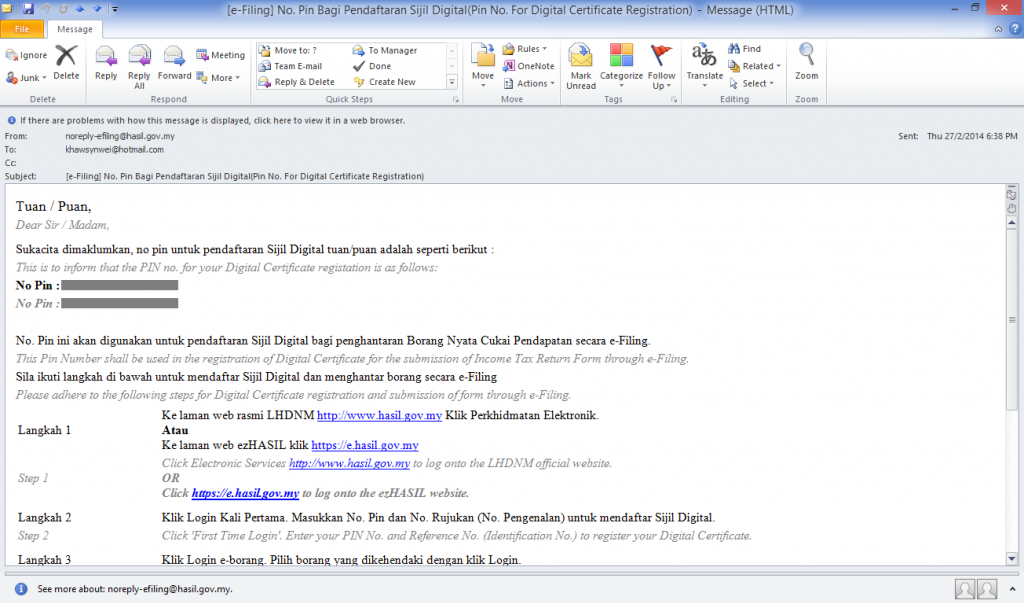 |
| e-Filing PIN email Number scratched for data protection |
Step 1: Now go back to the LHDN index page and click on "e-Filing" button as shown in below image (or here).
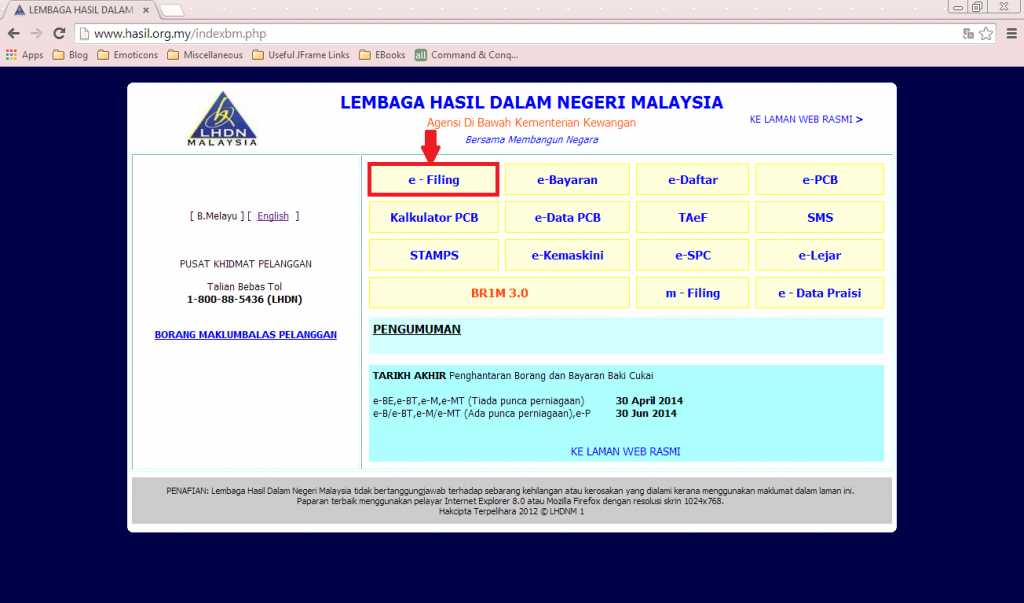 |
| Index Page |
Step 2: Click on the tab "+Login Kali Pertama" located at the left sidebar as shown in below image.
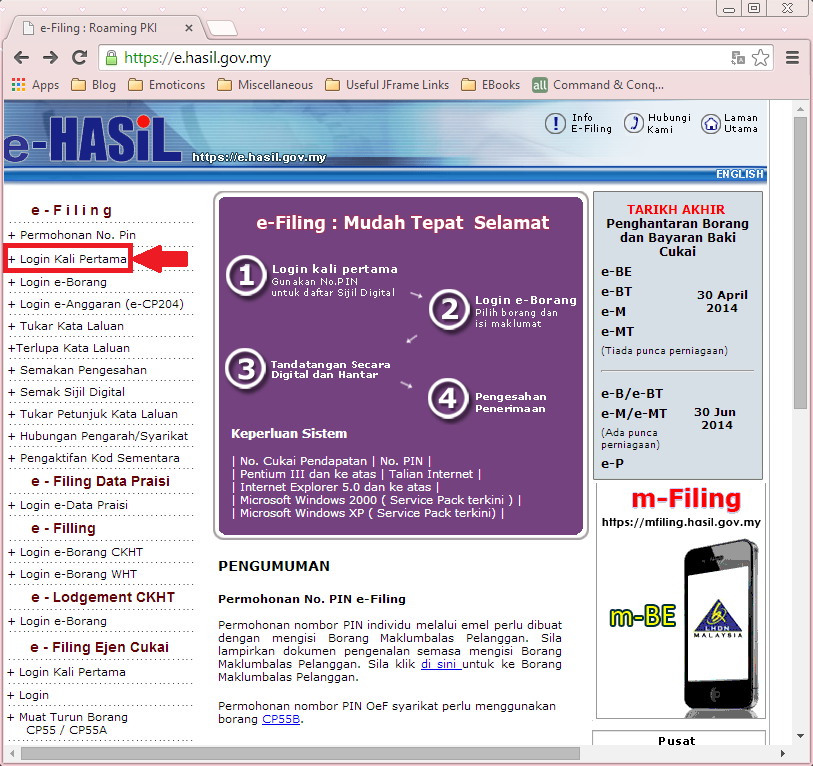 |
| e-Filing Page |
Step 3: Fill in the details you have after you're redirected to the following page. Click "Hantar" when you're done.
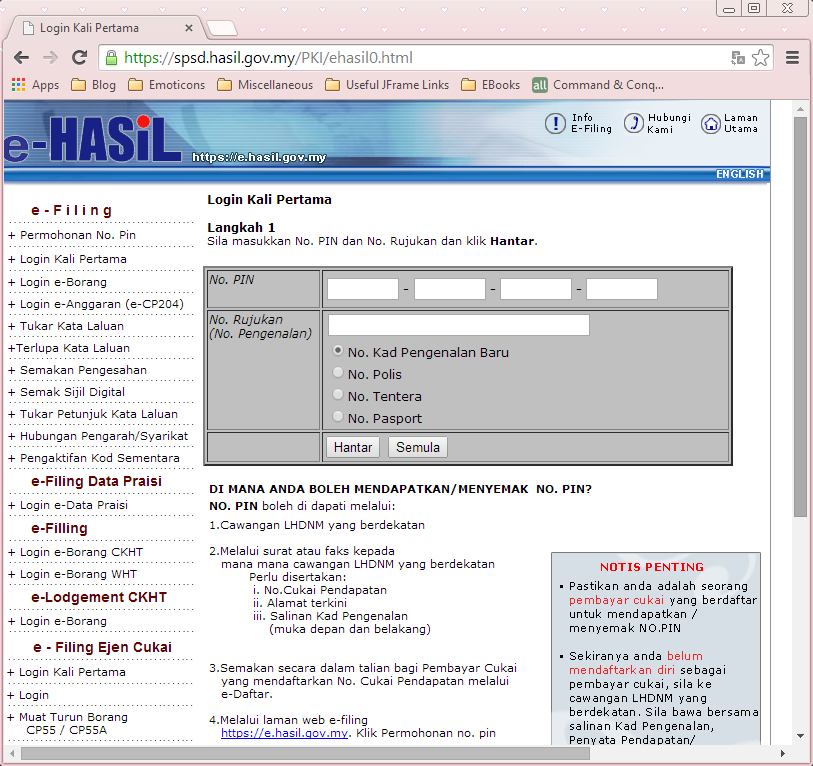 |
| First Time Login Page |
Step 4: Click on the tab "+Login e-Borang" to proceed with your tax filing.
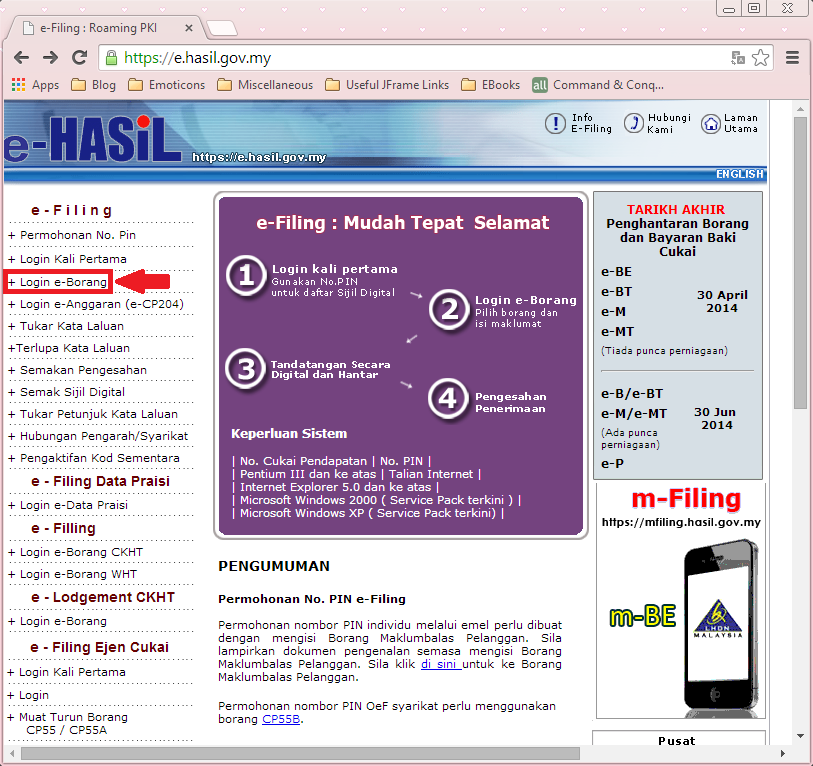 |
| e-Filing Page |
Step 5: Login to Form e-BE for 打工族 (working individuals who didn't own any business).
(Note: Form e-B is for bosses)
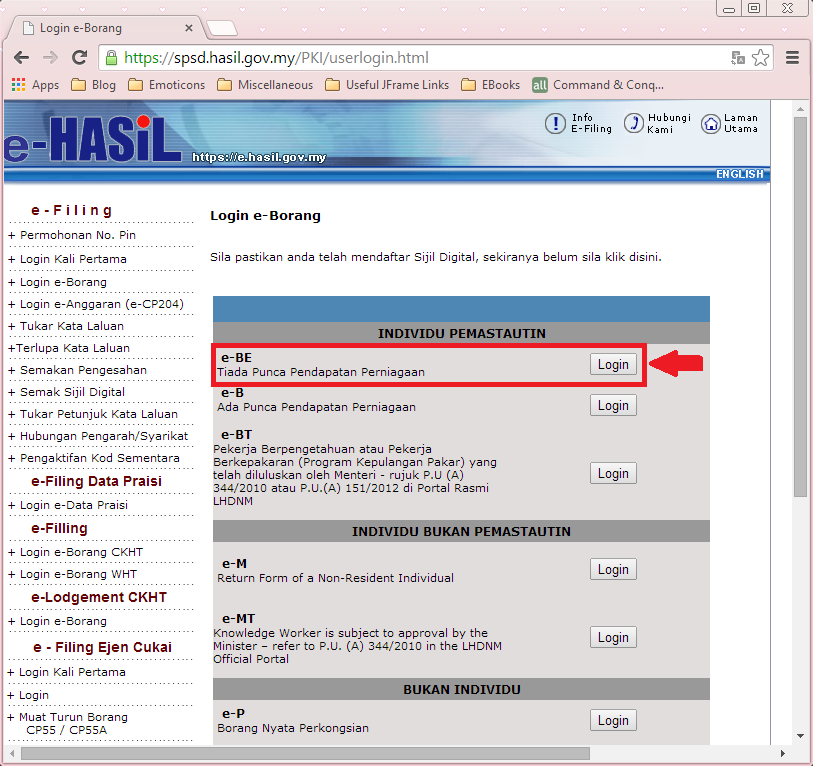 |
| e-Filing Forms |
Step 6: Congrats, you've completed the registration! Start filing your income tax already!

0 scream(s):
Post a Comment